

You bought a rotary tool expecting versatility but ended up fighting a clunky chuck, a dead battery, or a cord that won’t reach. Sound familiar? These little spinning workhorses promise to do everything from grinding rust to carving wood to polishing your grandmother’s silver. Half the time they just sit in a drawer collecting dust because the one you grabbed didn’t fit how you actually work.
I get it. The market is a mess of overlapping models, inflated spec sheets, and reviews written by people who used the thing once. My job here is to cut through that noise and help you land the best rotary tool for your bench, your projects, and your patience level. Not the flashiest. The right one.
I’ve spent real hours with these tools, and two of them kept earning their spot on my pegboard. One shines for corded grunt work. The other frees you from the wall entirely. Stick around and I’ll tell you which is which, and why the difference matters more than you’d think.
Best Rotary Tools in 2026
| Image | Model | |
|---|---|---|
 | Best Overall Dremel 4300Editor's Choice  Check Price | Check Price |
 | Best Cordless Rotary Tool Dremel 8240Check Price | Check Price |
 | Best Mini Cordless for 3D Printing Fanttik F2 MasterCheck Price | Check Price |
 | Best for M12 Owners Milwaukee 2460-20 M12Check Price | Check Price |
 | Best Budget Value WEN 2305Check Price | Check Price |
 | Best for Precision & Engraving Dremel Stylo+Check Price | Check Price |
 | Best Value Cordless Kit DEPSTECH DC08Check Price | Check Price |
- I would buy for the job that shows up most often, not the one odd task that might happen twice a year.
- Fast accessory changes save more patience than a bigger kit, which is why the Dremel 4300 makes sense for mixed bench work.
- If you already own cordless tool batteries, staying in that lane can matter more than chasing a slightly shinier spec sheet.
- For detail work, fatigue shows up before lack of power, so a slim tool like the Fanttik F2 Master can be the smarter pick.
- Starter kits are fine for learning, but the tool body is the long term purchase and the bits are the wear items.
How to Pick the Right Rotary Tool for Your Projects
A rotary tool is one of those purchases where the spec sheet and the real-world experience live in two different houses. I’ve bought tools that read like champions on the box and quit halfway through a job, and I’ve bought humble little units that punched way above their weight. Before you spend a dime, let me walk you through the six things I check every time.
Corded vs. Cordless
This is the first fork in the road, and it comes down to how you actually work. A corded tool like the Dremel 4300 gives you unlimited runtime and steady power that never sags as a battery drains. If you spend an afternoon grinding welds, sanding drums, or carving through hardwood, corded means you never stop to charge. The tradeoff is the leash. You’re tethered to an outlet, dragging a cord around your project.
Cordless buys you freedom. You can crawl under a car, work on a fence line, or take the tool up a ladder without hunting for an extension cord. The catch is runtime and the way power tapers as the pack drains. Small batteries on lightweight units run down fast under heavy load, and you’ll feel the RPM drop before the tool dies outright.
If most of your work happens at a bench near an outlet, go corded and skip the battery worries entirely. If you roam, or you already own a battery platform, cordless earns its keep.
Speed Range and Variable Control
RPM is not a bragging number. It’s a matching game. Low speeds, roughly 5,000 to 10,000 RPM, are for polishing soft metals, buffing plastic, and anything that melts or burns when you rush it. High speeds, up to 30,000 or 35,000, are where you cut metal, grind, and slice through cured epoxy. Push a delicate polish at full tilt and you’ll scorch the surface before you know what happened.
The feature that separates good tools from frustrating ones is electronic feedback, sometimes called constant-speed circuitry. It reads the load and feeds more power to the motor when the bit bites into material, holding your set RPM instead of bogging down.
Buy a tool with variable speed and electronic feedback, not just a two-speed switch. Cheap single-speed units stall the moment you lean into them, and a stalled bit is how tips snap and workpieces get gouged.
Accessory Compatibility and Chuck Type
Here’s where people get quietly locked in. Most rotary tools hold bits one of three ways:
- Collets: small metal sleeves sized to each shank diameter. Reliable and precise, but you swap collets and chase a tiny wrench for size changes.
- 3-jaw chuck: like a mini drill chuck, it grips a range of shank sizes with no loose parts. The 4300 was the first Dremel to bring this to a rotary tool, and it makes bit swaps genuinely tool-less.
- EZ Twist / nose-cap systems: let you tighten and loosen by hand using the housing, no wrench at all.
Whatever the mechanism, the thing that matters most is shank size. The 1/8″ shank is the industry standard, and nearly every quality accessory, brand-name or not, is built around it. A tool that accepts standard 1/8″ and 3/32″ shanks lets you shop bits from anyone.
Avoid tools that only take proprietary accessories, because you’ll pay a premium forever and stall out when a bit is discontinued. The interface between spindle and accessory follows established engineering standards like ASME B107.4, which is part of why the 1/8″ ecosystem stays so broad.
Ergonomics and Weight
You’ll hold this thing for an hour straight, so how it sits in your hand matters as much as what’s inside it. Two grip styles dominate. Barrel-grip tools, the classic fat cylinder, give you power and control for grinding and cutting where you push with your whole hand. Pen-grip tools, like the Dremel Stylo+ and the slim Fanttik F2 Master, sit between your fingers like a marker for engraving, etching, and fine detail.
Weight tells the rest of the story. A heavy barrel tool is fine for aggressive work where gravity helps you, but try engraving a name plate with it and your hand cramps in ten minutes. A light pen-style unit lets you work delicately without fighting the tool, though it won’t have the muscle for long grinding sessions.
Match the grip to your main job. If you’re carving detail and doing craft work, lean pen-style. If you’re cutting bolts and grinding rust, a barrel grip with a comfortable neck section serves you better.
Power and Duty Cycle
More volts and more amps look impressive, and they mislead plenty of buyers. What matters for weekend use is how long the tool runs before heat forces it to rest. That’s the duty cycle. A tool that spikes high on paper but overheats after five minutes helps nobody.
Airflow and ventilation do more real work than a big number on the box. The 4300 got a redesigned airflow system for exactly this reason, and the DEPSTECH DC08 deliberately sits at 8V to stay cool and light rather than chasing 12V bragging rights. A well-cooled 8V motor beats a hot 12V one for long jobs.
One job I would not hand a rotary tool regardless of cooling is restoring a bit edge: the geometry matters more than the grind, which is why a dedicated drill bit sharpener beats freehanding it.
For consumer safety baselines, leading manufacturers design against consensus standards like UL 60745-2-23, which covers small rotary tools specifically. Whatever tool you pick, wear eye protection and follow the guarding and PPE practices in OSHA’s hand and power tools guidance, because a snapped cut-off wheel at 30,000 RPM does not forgive.
Included Accessories vs. Buying Separately
An 80-piece kit sounds like a steal until you realize sixty of those pieces are sanding bands you’ll never wear through and grinding stones that crumble. Big accessory counts pad the box and the marketing. Quality is what you feel when the bit meets material.
A handful of accessories carry most of the real work:
- Cut-off wheels for slicing bolts, screws, and thin metal
- Sanding drums for shaping wood and smoothing edges
- Engraving and carving bits for detail and lettering
- Polishing wheels and felt tips for finishing
Some kits earn their bundle. The WEN 2305 packs a full flex shaft and an 80-piece set for less than a flex shaft alone often costs, a genuine value even if half the bits are filler. For a first tool, a starter kit gets you working the same day. Once you know which bits you actually reach for, replace the worn ones with quality named accessories and skip the mystery-metal grinding stones. You’ll cut cleaner and spend less over the life of the tool.
1. Dremel 4300

If I could only keep one rotary tool on the bench, this would be it. The Dremel 4300 earns the top slot for one reason above all the others: that universal 3-jaw chuck. No more digging around for the little collet wrench, no more fumbling with matched collet sizes that never seem to be the one you need. You twist the collar, drop in the accessory, snug it down by hand. It swallows every Dremel shank size, so switching from a cutoff wheel to a sanding drum to an engraving bit takes seconds. When a project has you jumping between six different jobs, that speed adds up fast.
The motor is the other half of the story. Variable speed runs from 5,000 all the way to 35,000 RPM, and the electronic feedback keeps the bit spinning at your set speed even when you lean into a cut. I’ve carved hardwood, ground down bolt heads, and sanded tight corners without the rpm sagging. The pivoting LED light is more useful than I expected too, especially crawling under a cabinet where my shadow usually ruins everything.
Here’s where the corded life pays off. Compared to Dremel’s cordless 8240, the 4300 never taps out mid-task. No 30-minute battery window, no recharge break. The motor feels a touch more refined under load, and the replaceable brushes mean this thing outlives most cordless units by years. The cord is the tradeoff, and honestly it runs a bit short for my taste. Reach for an extension cord and plan your setup.
A couple of honest gripes. Under heavy sustained pressure it warms up quicker than I’d like, and the chuck can back off slightly during long grinding sessions, so give it a re-snug now and then. It’s also a little hefty if you’ve got small hands and a marathon ahead.
Still, for a weekend warrior juggling varied projects, this is the workhorse I’d hand a friend first. But maybe that cord is the exact thing keeping you from working where you need to.
- Tool-less 3-jaw chuck
- Consistent motor under load
- Unlimited corded runtime
- Replaceable brushes extend lifespan
- Heats up under heavy pressure
- Cord runs short
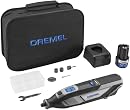
2. Dremel 8240

I’ll admit it: I was a corded Dremel loyalist for years. The 8240 is the tool that finally got me to cut the cord without feeling like I gave anything up. That 12V/2Ah battery pushes the full 5,000 to 35,000 RPM range, and it doesn’t sag noticeably when you lean into a cut. For light-to-medium work like trimming bolts, sanding down a rough edge, or engraving a project, I stopped reaching for anything with a plug.
The EZ Twist nose cap is the small feature I appreciate most day to day. Swapping a cutting wheel for a sanding drum takes seconds and no fumbling for the wrench. And because it’s a Dremel, every bit and attachment I already own drops right in. That ecosystem compatibility is the whole reason I’d point Dremel fans here instead of jumping platforms.
Which brings me to the Milwaukee M12 comparison. Both are solid cordless tools with different bets. Milwaukee assumes you’re already deep in the M12 world and want to share batteries across your kit. The 8240 is self-contained. If you don’t own M12 tools, the Dremel wins on grip and detail control, since the Milwaukee gets bulky for fine engraving.
Here’s the honest catch. The brushed motor isn’t serviceable, and the brushes can’t be replaced. That caps the lifespan somewhere around 150 hours. For weekend use that’s years off, but it’s the one thing keeping this out of the top spot. Battery runtime also fades during long heavy sessions, so keep the charger close on big jobs.
Now, if raw power matters less to you than working quietly with a delicate touch, there’s a very different tool worth a look.
- Cord-like power, cordless freedom
- Full Dremel accessory compatibility
- Wrench-free EZ Twist changes
- Brushes non-replaceable, ~150 hour life
- Runtime fades on heavy jobs
3. Fanttik F2 Master

Pick up the Fanttik F2 Master and the first thing that hits you is the weight, or the lack of it. At 0.22 pounds, this thing feels closer to a fat marker than a power tool. That matters when you’re hunched over a resin miniature for an hour, cleaning up layer lines and support scars. Your hand doesn’t cramp the way it does with a chunky barrel-grip.
The NeoPulse motor is the quiet star here. Fanttik claims a 30% noise drop over standard motors, and I believe it. You can run this in the same room as a sleeping toddler or a phone call and not feel like a jerk. Less heat too, which counts when you’re feathering support marks off PLA and don’t want to soften the plastic into mush.
The Revostor Hub is my favorite bit of clever. A 360-degree magnetic stand holds all 35 accessories where you can grab them one-handed. No more digging through a plastic tray for that one sanding drum. Five speeds with an LED readout let you dial in something gentle for delicate resin and something faster for engraving.
Now the honest part. This is a light-duty tool. It won’t drill hardwood, and the auto-sleep at 15 seconds is a mild annoyance mid-project. The cylindrical body rolls off the bench if you set it down carelessly, so use that magnetic stand. Battery’s sealed, so long sessions mean charging breaks. Against the corded Dremel Stylo+, you trade guaranteed uptime for cordless freedom and quieter running. For 3D print finishing and miniature prep, I’d take the Fanttik.
Speaking of batteries, if your garage already runs on one brand’s cells, sharing packs with your drill and driver might weigh heavier than any single tool’s charm.
- Whisper-quiet, low heat
- Featherlight pen-style grip
- Magnetic hub keeps bits handy
- Light materials only
4. Milwaukee 2460-20 M12

If you’ve already got a drawer full of Milwaukee M12 packs, this one makes a lot of sense before you read a single spec. The 2460-20 runs off the same batteries as your M12 drill, impact, and whatever else you’ve collected, so there’s no new charger, no new ecosystem to feed. That alone earns it a spot on my bench.
Power feels close to a corded Dremel, which surprised me for a 12-volt tool. The variable speed dial lets me dial back for delicate cutting or open it up for grinding and sharpening. And since it takes standard 1/8″ shank bits, all my old Dremel accessories dropped right in. No proprietary lock-in here.
The tradeoff is finesse. Compared to the slim Dremel 8240, this thing is a handful. Detailed engraving or fine lettering usually pulls me into a two-handed grip, and the barrel gets chunky with a bigger battery attached. The 8240 wins on delicate control near the nose; the Milwaukee wins the second you factor in batteries you already own.
Keep a spare pack around, because smaller M12 batteries drain quick under load. Remember it ships tool-only too, so budget for a battery if you’re somehow starting from scratch. For M12 loyalists, honestly, it’s an easy call.
Now let’s swing to the other end of the spending scale, because you don’t need to drop serious cash to get rolling.
- Shares M12 batteries
- Corded-level power, cordless
- Takes standard 1/8″ bits
- Too bulky for fine detail
- Tool-only, battery not included
5. WEN 2305

Here’s the thing about carving and engraving: your hand needs to move like it’s holding a pencil, not wrestling a soup can. The WEN 2305 gets that. The included flex shaft is the whole reason this kit earns a spot here, and it comes bundled for less than what some flex shafts cost on their own. That’s rare. For a beginner who wants to sink a rotary tool into wood or detail some jewelry work, this is a lot of capability for not much money.
The variable speed spans 8,000 to 30,000 RPM, which covers most of what a hobbyist throws at it. Drop to the low end for polishing soft materials, crank it up for grinding. With the flex shaft attached, I found the pen-grip control genuinely close to what you’d get from a Dremel 4300 costing a good deal more. For the buyer watching every dollar, that’s the pitch.
Now the honest part. Quality control here is a coin flip. Some units arrive with a dud flex shaft or a flaky speed controller, and that’s not a rumor, it’s the pattern. The motor also feels soft under real pressure, so don’t lean on it. And go easy tightening the flex shaft collar, since it strips if you crank it. The bundled bits skew heavily toward grinding stones too, so plan on buying accessories.
If that pen-grip precision appeals but you’d rather trust a name brand, Dremel builds a tool aimed straight at that itch.
- Flex shaft included, rare at this price
- Pen-grip control for detail work
- Wide 8,000–30,000 RPM range
- QC lottery on shafts and controllers
- Weak motor under pressure
6. Dremel Stylo+

If you’ve never held a rotary tool and the barrel-grip models make your palms sweat, the Stylo+ is where I’d start you off. It looks and feels like a fat pen, which means your brain already knows how to hold it. No relearning grip mechanics. You just write, except you’re engraving glass or carving a name into a walnut coaster.
The speed dial runs 5,000 to 22,000 RPM, so slow enough for delicate glass etching, quick enough to polish jewelry without babysitting it. I like that it tops out lower than the beefier Dremels. Beginners don’t need 35,000 RPM launching a bit across the shop. The deliberate ceiling is part of why this thing is so forgiving.
Here’s the honest catch. It won’t cut, drill, or rout. That’s not a defect, it’s the point. Compared to the cordless Fanttik F2 with its USB-C portability, the Stylo+ trades mobility for a 6.5-foot cord and runtime that never quits mid-project. I’ll take the Dremel name and unlimited power for detail work.
If cordless freedom on a shoestring is your goal, one last pick waits.
- Pen grip feels natural instantly
- Never runs out of power
- No cutting, drilling, or routing
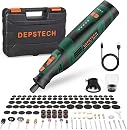
7. DEPSTECH DC08
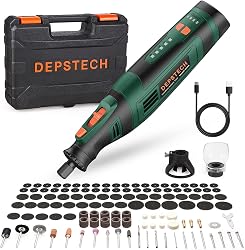
Let me close out this roundup with the wallet-friendly option. The DEPSTECH DC08 is close to disposable at that price, and honestly, for light hobby work that math holds up. You get a 127-piece accessory kit that plays nice with Dremel bits, USB-C charging, and a tool that weighs a hair over three-quarters of a pound. My hand didn’t ache after twenty minutes of engraving, which is more than I can say for the chunkier 12V models.
Runtime sits around 30 minutes per charge, so pace yourself. There’s no corded fallback and you can’t run it plugged in, meaning a dead battery means a coffee break. For trimming a dog’s nails or touching up a scratched cabinet hinge, that’s fine.
The DC08 leans on cordless portability where the WEN 2305 gives you corded flex-shaft depth for the same low spend. Two different budget bets. Just go easy on the collet. Over-tighten it and the shaft-lock casing can split, which is the real Achilles’ heel here.
Buy it for what it is: a grab-and-go crafter, not a shop workhorse. On that promise, it delivers. And that wraps my picks. Match the tool to the job, spend accordingly, and your projects will thank you.
- Lightweight, easy on the hand
- Huge 127-piece kit
- Nearly disposable price
- Shaft-lock casing splits if over-tightened
- No corded fallback, ~30 min runtime
Which Rotary Tool Should You Get? Quick Recommendations
You’ve seen the lineup. Now let me save you the trouble of overthinking it. Here’s exactly what I’d buy depending on how you actually work.
The Saturday Project-Hopper
One weekend you’re regrouting a shower, the next you’re inlaying a guitar. Your projects never repeat, so your tool can’t be a specialist. Grab the Dremel 4300. Twist the collar and you’re on to the next accessory, and the 5,000 to 35,000 RPM span covers everything from delicate to aggressive without complaint.
For repeatable edge profiles rather than freehand shaping, the tool that does it properly is a router table.
Working Where There’s No Outlet
Up in the attic, out in the yard, halfway up a ladder in the garage. If your work happens away from the wall, go cordless with the Dremel 8240. It delivers power close enough to corded that you’ll forget there’s a battery in it, and a 30-to-40-minute top-up keeps pace with a long afternoon.
The 3D Printing Cleanup Crew
Support scars, stringing, and layer lines are the tax you pay for printing. Pay it quietly with the Fanttik F2 Master. At 0.22 pounds it runs for an hour without your hand cramping, and the hushed NeoPulse motor suits late-night finishing while the house sleeps.
Already Living in the Milwaukee World
If there’s an M12 charger on your wall and a drawer full of red batteries, the math is simple. The Milwaukee 2460-20 M12 slots into the kit you already own. No new charger, no new battery platform, just solid cutting and grinding on the packs you’re already cycling.
First Tool, Tight Budget
You want to start carving, engraving, and sanding without gambling real money on a hobby you haven’t tried yet. The WEN 2305 is your answer. The flex shaft moves like a pencil in your hand, and the 80-piece set means you’re working the minute the box hits the bench.
The Nervous First-Timer
Some folks look at a rotary tool and see a tiny angry machine. If that’s you, meet the Dremel Stylo+. It holds like a fat pen, not a power tool, and its 22,000 RPM ceiling keeps engraving and polishing relaxing instead of intimidating. The gentlest way into the hobby, hands down.
Still stuck? Buy the 4300. It does the most, disappoints the least, and it’s the one I reach for when I’m not sure what the day holds. Everything else on this list wins in its lane, but that lane has to be yours.
Frequently Asked Questions
Can I use Dremel accessories in non-Dremel rotary tools?
Most of the time, yes. The vast majority of rotary tools take standard 1/8″ shank bits, so your Dremel cutting wheels and sanding drums drop right in. The Milwaukee M12 and DEPSTECH DC08 both work with Dremel-brand accessories.
The one thing to check is shank diameter before you buy. If a bit’s shank is thicker than your collet or chuck can grip, no amount of wishing makes it fit.
How long do cordless rotary tool batteries last during continuous use?
Plan on 30 to 60 minutes of runtime, depending on your speed and how hard you push the tool. The Dremel 8240 and DEPSTECH DC08 both land around 30 minutes flat out. The Fanttik F2 Master goes longer if you’re doing light engraving or polishing.
My advice: keep a charged spare in your pocket, or build recharge breaks into the job. Nothing kills momentum like a dead battery two cuts from the finish.
What’s the difference between a collet and a 3-jaw chuck on a rotary tool?
A collet is a metal sleeve sized for one shank diameter. Swap to a different bit size and you swap the collet too, usually with a wrench. Precise, but slow when you’re changing accessories often.
A 3-jaw chuck, like the one on the Dremel 4300, clamps down on a range of shank sizes and tightens by hand. If you jump between bits constantly, the chuck saves you a lot of fumbling.
Are rotary tools safe for beginners?
They are, as long as you respect a few basics. Wear safety glasses every single time, start at a low RPM until you get a feel for it, clamp your workpiece down, and let the spinning bit do the work instead of leaning into it.
If you’re brand new to this, a pen-grip model like the Dremel Stylo+ gives you the steadiest control. You hold it like a marker, which makes it easy to guide.
Can a rotary tool replace a Dremel for heavy-duty cutting or grinding?
Depends on the tool. The budget and ultra-compact models, the Fanttik F2 and DEPSTECH DC08, run out of muscle on thick metal or dense hardwood. They’re built for detail, not brute force.
For real cutting and grinding, reach for the Dremel 4300, Dremel 8240, or Milwaukee M12. They carry the torque and top-end speed to chew through tougher stock without bogging down. Past a certain thickness even those stall, and the job belongs to an angle grinder instead.
Is a flex shaft worth it on a rotary tool?
For detail work, it’s one of the best upgrades you can make. The flex shaft moves the motor’s weight off your hand, so you’re guiding a slim wand instead of wrestling a full-size tool. Carving, engraving, and jewelry work all get easier.
The WEN 2305 ships with one in the box. On the Dremel 4300, you buy it separately, but it’s worth tracking down if you do a lot of fine work.